

Reacher Stephen
TikTok Shop Coupon Codes: How to Find and Stack Real Discounts
Unlock real savings on TikTok Shop with our guide to promo codes, coupons, and stacking strategies. Learn where to find working codes and avoid scams.

tiktok shop coupon codes
TikTok Shop coupon codes come from specific sellers, creators, platform promotions, and time-limited offers, not one universal code. Check the app and product page for eligible discounts before checkout, then confirm the terms shown for your order.
Key Takeaways
- Coupon codes on TikTok Shop come from individual sellers, creators, and platform-wide promotions, so shoppers should expect different offers for different products rather than one code that works everywhere.
- Many discounts are tied to specific sellers or time-limited campaigns, which means checking the product page before checkout is the fastest way to confirm what applies to your order.
- Stacking savings depends on eligibility, so review the terms shown at checkout to see which coupons can be combined on a single purchase.
- Time-limited offers reward quick action, and the deals visible in the app today may expire before your next shopping session.
- Verifying the final discounted price at checkout protects you from assuming a code applies when the terms exclude your specific item or seller.
Codes can be limited by item, seller, minimum spend, expiration date, or buyer status. TikTok Shop Launch Forecasting is a separate planning product for sellers, not a source of shopper discounts. Its forecasts are planning estimates and do not connect to a shop.
There Is No Universal TikTok Shop Code: Here's Where Codes Actually Come From
There is no single code that applies to every TikTok Shop order. Discounts come through distinct channels, each with its own eligibility rules. Check the coupon center, listing, seller, and creator content for an offer that applies to the item in your cart. A code shown online is not proof that it is active or valid for your purchase.
The Five Legitimate Sources of TikTok Shop Coupon Codes (Comparison Table)
Assess an offer by its source and terms. A valid offer identifies where it applies and displays conditions such as eligible products, minimum spend, or expiration date. The checkout total confirms whether a discount has been applied.
| Source | Where to check | Typical restriction |
|---|---|---|
| Platform vouchers | Coupon center or eligible product page | May require a minimum spend or eligible item |
| Seller coupons | Shop or product listing | Often limited to that seller’s products |
| Creator codes | Creator’s product content or offer details | May apply only to a featured item |
| LIVE promotions | LIVE shopping offer or product card | Can be time-limited or quantity-limited |
| New-user and flash offers | In-app promotion or checkout | May depend on account eligibility or timing |
Platform Vouchers: Claiming Coupons in the Coupon Center
Platform vouchers appear through TikTok Shop surfaces, such as the coupon center or eligible listings. Before claiming one, check its minimum purchase, expiration, and product or category restrictions. A voucher in your account does not necessarily cover every item in your cart.
Seller Coupons, Creator Codes, and LIVE Drops
Seller coupons are tied to a shop or selected products. Creators may share a code or product-specific promotion with their audience, while LIVE hosts can feature offers during a broadcast. Creator commissions help motivate product promotion, but do not guarantee a discount on every featured item. Confirm the offer terms rather than assuming a code covers the full shop.
New-User Offers and Flash Sales
A percentage discount may sound substantial, yet the cap limits savings on a larger order. Flash sales have a short availability window, so check the product, price, and expiration in the app before purchasing.
How to Spot Fake Credit Offers and Scam Code Sites
Check that the promotion appears in TikTok Shop or on the seller’s or creator’s own content, and review its terms.
How to Find and Claim Working Coupons Inside the TikTok App
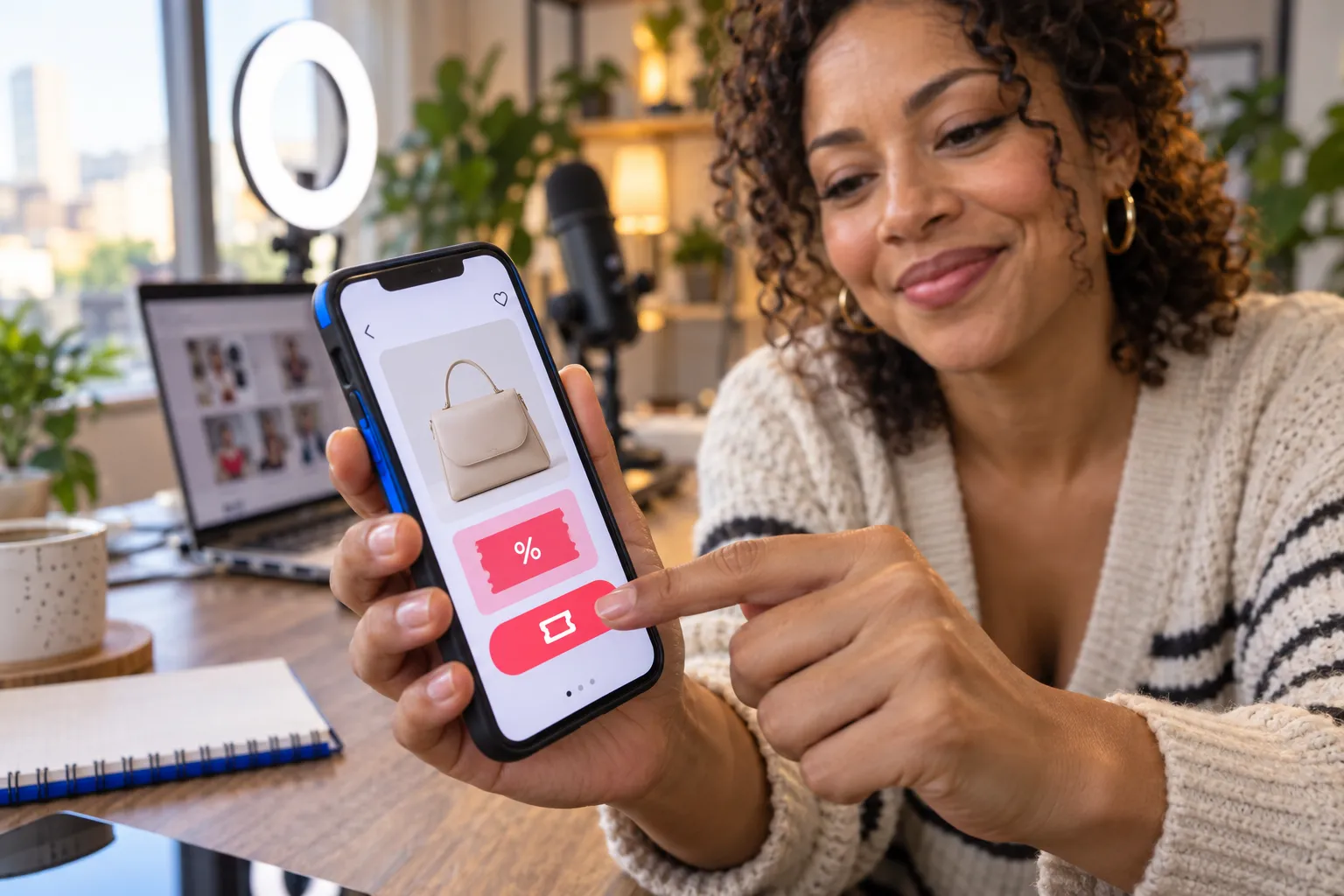
Start in the app, where coupon availability and product eligibility appear alongside TikTok Shop listings and checkout. Search for the product, inspect its listing for a coupon, and check your account’s available offers. The offer is useful only when its conditions match the item and order you plan to buy.
Step-by-Step: Claiming Vouchers in the Coupon Center
- Open TikTok and enter the Shop area.
- Find the coupon center or available offers shown in Shop.
- Review each voucher’s expiration, minimum spend, and eligible products.
- Claim an offer when available, then open the product listing it covers.
- At checkout, confirm the discount appears in the order total before paying.
If the voucher does not appear in the final total, recheck its eligibility details. The product, seller, account, or order value may not meet the offer’s conditions.
Finding Creator and LIVE Promo Codes Without Watching Streams
Look through creator videos and product posts for offer details attached to the featured item. Product cards and captions can identify the promoted listing without waiting for a LIVE broadcast. If you open a LIVE, check the pinned product and displayed promotion; a host’s offer may apply only while it is active.
Why App-Only Deals Beat Desktop Shopping
Some offers appear through in-app Shop placements, creator content, or LIVE shopping, so a desktop search can miss them. In the app, you can inspect a product listing and its available offer in the same shopping flow. Compare the listing terms with the checkout total before placing your order.
TikTok Shop Launch Forecasting serves sellers planning a launch, not shoppers seeking promo codes. It provides growth and cash forecasts based on per-order economics, a creator and media plan, and visible planning assumptions. The output is an estimate, not measured sales.
The Stacking Playbook: Combining Coupons at Checkout
To combine TikTok Shop coupon codes, check each offer’s terms and the order summary before paying. Some discounts may apply together, while others are mutually exclusive or limited to a seller, item, or account. The checkout screen shows which eligible offers reduced your total. Do not assume that adding several codes means every discount will apply.
Stacking Rules and the Order of Operations at Checkout
Build the order around the product you want, then review available discounts in the cart and at checkout. Apply or claim the offers shown for that item, and inspect the total after each change. Seller coupons and platform vouchers can have different eligibility rules, so the displayed terms matter more than the number of offers you have collected.
- Confirm the product, seller, and quantity in your cart.
- Review each available offer for minimum spend, eligible items, and expiration.
- Apply eligible discounts one at a time, checking the total after each step.
- Before payment, verify the final price, shipping charges, and applied savings.
The First-Order Discount Cap ($20-$25) and How to Work Around It
That limit can reduce the value of a percentage offer on a high-priced order: a displayed rate does not mean savings keep increasing with the cart total. Check the offer’s maximum discount and minimum spend before adding items. If the cap makes a larger order less attractive, compare the final checkout total with the cost of buying only what you need.
A first-order offer may also depend on account eligibility or eligible products. Look for another applicable seller or platform discount, but count it toward your savings only after it appears in the order summary. The codes that matter are those accepted for your cart, not a headline percentage on a promotion.
Troubleshooting Checklist: Why Your Code Didn't Apply
If a discount is missing, check its conditions before trying another code. Codes found on coupon sites can be expired, restricted to selected products, or unavailable to your account. An offer that works for one buyer or listing may not apply to a different order.
- Check the expiration date and any minimum purchase requirement.
- Confirm the offer covers the product and seller in your cart.
- Review whether the discount is limited to new buyers or another account group.
- Check whether another offer has replaced or blocked the code.
- Read the updated order total before completing payment.
Where Not to Look for Codes, and What Reliable Shoppers Do Instead
Third-party coupon pages can help you discover a possible offer, but a listing is not proof that a code remains active. Offers change and can be tied to a seller, product, account, or short promotion window. If a code fails at checkout, return to its original source and check the terms rather than repeatedly testing copied versions. Treat aggregator listings as leads to verify, not guaranteed savings.
Why Third-Party Coupon Aggregator Sites Mostly Fail
Aggregator listings may be outdated or omit restrictions that determine whether a discount applies. A code can be valid for one product but unusable for another, even in the same shopping session. Check the seller’s listing or offer details in the app, then use the checkout total to confirm eligibility. Avoid planning a purchase around an unverified code.
Red Flags of a Scam: The '$750 TikTok Shop Credit' Example
Do not share your password, payment details, or verification code to claim an offer outside a trusted TikTok Shop flow.
- Be wary of large credit promises with no clear offer terms.
- Leave pages requesting account credentials or one-time verification codes.
- Verify promotions through the app or the seller or creator responsible for the offer.
Building Your Own Reliable Savings System
Use a repeatable routine: check the item’s listing, review available account offers, read the restrictions, and confirm the final total before buying. Keep a note of the source and expiration for any code you plan to use. This helps distinguish an eligible discount from an old listing or unsupported credit claim.
For sellers planning launch economics rather than shopping discounts, TikTok Shop Launch Forecasting provides a 3, 6, 9 and 12 month growth and cash forecast with visible planning assumptions. TikTok Shop Launch Forecasting is a separate planning product; it does not connect to a shop, and its output is a planning estimate, not measured incrementality or guaranteed revenue.
TikTok Shop Coupon Codes: FAQ and Seller Perspective

For shoppers, the reliable test for tiktok shop coupon codes is whether the offer’s terms match the account, product, and order at checkout. For sellers, coupons are a promotion tool, not a substitute for sound unit economics. The decision depends on eligibility, discount limits, and the margin left after fees and commissions.
FAQ: Working Codes, Multiple Coupons, and First-Order Discounts
- Are there working TikTok Shop promo codes for 2026?
- Offers change over time, so no code can be treated as universally active. Check current promotions in the app and confirm the discount appears in your order total before paying.
- How do I get a first-order discount?
- Review available new-buyer offers in your account and read the eligibility terms. The offer may be limited by product, minimum spend, or a maximum discount.
- Can I use multiple coupons on one order?
- Some offers may combine, while others cannot. Add eligible discounts and check the order summary to see which ones apply together.
- Why do codes from coupon sites fail?
- A listing can be expired, restricted to selected items, or unavailable to your account. Treat third-party listings as unverified until checkout accepts the offer.
For Sellers: Using Coupons as a Sales Lever Without Eroding Margin
Set a discount with a clear commercial purpose, such as encouraging a first purchase or supporting a specific product promotion. Before publishing an offer, calculate expected order economics: product cost, seller-funded discount, commission, platform fees, and any shipping contribution. A coupon can increase price appeal, but its value depends on whether the resulting order remains profitable.
Keep eligibility specific and communicate the terms clearly. A limited product selection or minimum spend can focus a promotion, while a maximum discount helps define its cost. Track orders and margin during the promotion, then decide whether the coupon should continue, change, or end.
How Coupon Strategy Fits a Bigger TikTok Shop Growth Plan
Coupons work best as one part of a plan connecting product economics, creator activity, and media spend. Sellers should model launch assumptions before committing to a promotion, then compare the plan with actual shop performance as data becomes available. For planning, TikTok Shop Launch Forecasting provides a 3, 6, 9 and 12 month growth and cash forecast. These are planning estimates; Runway does not connect to a shop.
TikTok Shop Launch Forecasting includes per-order economics with visible planning assumptions and a saved report behind a seven-day private link. Use it to assess planned investment, not to claim measured incrementality or guaranteed revenue. A disciplined coupon strategy starts with clear costs, uses offers for defined goals, and evaluates actual results before scaling.
Frequently Asked Questions
Are there working TikTok Shop promo codes for 2026?
There is no universal TikTok Shop promo code that works on every order. Active codes come from platform vouchers, seller coupons, creator offers, LIVE promotions, and new-user deals, each with its own eligibility rules. Check the coupon center and product listing in the app, then confirm the discount appears at checkout.
How do I get a first-order discount on TikTok Shop?
First-order discounts on TikTok Shop come through account-specific new-user offers found in the app or at checkout. Verify your eligibility and the offer terms before placing your order.
Can I use multiple coupons on one TikTok Shop order?
TikTok Shop may allow some coupons to combine at checkout while others are mutually exclusive. Build your order first, then apply the offers shown for that item and review the order summary. The checkout total is the definitive proof of which discounts actually applied.
Why do promo codes from coupon sites not work on TikTok Shop?
Codes on third-party coupon sites are often expired, copied without context, or never valid for your specific item or seller. TikTok Shop discounts are tied to eligible products, minimum spend, seller, expiration date, or account status. Trust only offers that appear in the app and reduce your checkout total.
How can I find creator or LIVE promo codes on TikTok Shop?
Check creator videos and product posts for offer details attached to the featured item; product cards and captions identify the promoted listing without watching a stream. LIVE offers apply only while the broadcast promotion is active. Always confirm the terms rather than assuming a code covers the full shop.
How do I claim a TikTok Shop voucher in the coupon center?
Open TikTok, enter the Shop area, and locate the coupon center or available offers. Review each voucher's expiration, minimum spend, and eligible products, then claim it and open a covered product listing. At checkout, confirm the discount appears in your order total before paying.
What are red flags for fake TikTok Shop credit offers?
A real discount has a clear source, eligible products, and usable terms inside TikTok Shop.