

Reacher Stephen
How to Set Up a TikTok Shop in 2026: Step-by-Step Guide for Sellers and Creators
Learn how to set up a TikTok Shop step by step — Seller Center sign-up, verification, fees, and shipping — plus how to set up TikTok Shop as a creator and recruit affiliates.

set up tiktok shop
To set up TikTok Shop, decide whether you’ll sell your own products or promote products as a creator. Sellers register through Seller Center and prepare verification documents, shipping, payouts, and product listings. Creators follow a separate application path and must meet creator eligibility rules.
Key Takeaways
- Your first decision is whether you will sell your own products or promote other brands' items as a creator, since each path has its own requirements.
- Sellers complete their setup through TikTok Seller Center, which handles registration and account management in one place.
- Before you apply, gather verification documents and set up shipping, payouts, and product listings to avoid delays in approval.
- Creators follow a separate application process and must meet specific eligibility criteria before they can earn commissions.
This guide covers seller setup, account types that often cause confusion, and decisions to make before opening your shop.
TikTok Shop Setup at a Glance: Two Paths, One Platform
Choose the seller path if you plan to list and fulfill products, or the creator path if you want to promote other sellers’ products for commission. Sellers register in TikTok Shop Seller Center, submit identity or business information, configure shipping and payouts, then publish product listings. Creators apply through TikTok’s creator tools and access eligible products after approval. Seller Center is the operational hub for merchants, not a substitute for a creator application.
Seller path vs. creator path: which one fits you?
A seller owns the storefront, controls product inventory and pricing, and handles order fulfillment directly or through an available TikTok service. A creator earns commission by featuring products from participating shops in videos or LIVE content. Choose based on what you sell: your own catalog points to seller registration, while audience-led product promotion points to creator registration. If you intend to do both, complete the relevant processes for each role.
| Path | Best fit | What you manage |
|---|---|---|
| Seller or brand | Businesses and individuals selling their own products | Catalog, inventory, orders, shipping, payouts, and customer service |
| Creator | Eligible creators promoting products from shops | Content, product selection, disclosures, and affiliate commissions |
Business account, Seller account, and Creator account: clearing up the confusion
These labels describe different functions, not interchangeable versions of one account. A TikTok Business Account is a profile type used to represent a brand and access business features. A Seller account is the merchant identity managed through Seller Center. A Creator account is a TikTok profile used to publish content and, if eligible, apply for creator commerce features. A seller may connect its shop to a Business Account, while a creator uses their profile to make shoppable content. Decide which role you need, then link accounts where prompted.
Eligibility requirements and TikTok Shop fees
TikTok’s published requirements distinguish seller verification from creator eligibility. Confirm current country, identity, and account-standing rules in Seller Center before applying, since requirements can change. Review the fees shown for your products before setting prices, since category terms and policy updates affect seller costs.
How to Set Up a TikTok Shop as a Seller or Brand: 8 Steps in Seller Center

Prepare your legal details, shipping plan, product information, and payout account before opening the application. Setup often takes one to three days, according to the research brief, though verification or missing information can extend that window. Follow these steps in order and use the Seller Center dashboard for status and current requirements.
Step 1: Sign up for TikTok Shop Seller Center
Open the TikTok Shop Seller Center registration flow and select the country where your business will sell. Register with an email address or existing TikTok account, then verify the requested contact method. Country selection determines the registration route, shipping options, and applicable policies. Keep login access with the person responsible for shop operations.
Step 2: Choose your business type
Select the option that matches your legal structure, such as an individual or sole proprietor, corporation, or organization. This choice determines which identity and business records TikTok requests and whose details must match the application. Review the account limits and seller terms for that type. Do not choose a corporation category if you are registering as an individual to bypass a document request.
Step 3: Submit verification documents
Enter requested taxpayer details, such as an EIN or SSN where applicable, and provide the required government ID, business license, or organization documentation. Make sure the legal name and address match across the application and documents. Upload clear, complete images with readable text and uncut edges. Save copies of submitted records in case the verification team requests clarification.
Step 4: Set up shipping and fulfillment
Choose the fulfillment arrangement available to your shop. With ship-by-seller, you manage inventory, package orders, meet handling deadlines, and upload or confirm tracking. Fulfilled by TikTok may be available for eligible sellers and products, with TikTok handling specified tasks under its program terms. Compare service availability, fees, delivery expectations, and inventory requirements. Configure shipping regions and returns to match what your operation can support.
Step 5: Configure payments and payout schedule
Add the payout and tax information requested in Seller Center, then verify that the beneficiary name matches your seller records. Review settlement timing, payment account requirements, and any reserve or adjustment terms. A payment setup mismatch can delay access to sales proceeds, so confirm account digits and ownership before saving. Keep business and personal transaction records organized for reconciliation.
Step 6: List your first product
Use the Quick Listing tool if available, and provide an accurate product title, category, description, price, and inventory quantity. Add clear images showing useful angles, include size or material details where relevant, and avoid claims the product cannot substantiate. Review category restrictions and listing rules before submission. The FastMoss TikTok Data Analytics Platform can help sellers examine product and category signals as they plan a catalog, but it does not replace TikTok’s listing requirements.
Step 7: Connect your TikTok Business Account and storefront
Connect the TikTok Business Account associated with your brand when Seller Center prompts you to bind an account. Confirm it is the intended public-facing profile, then customize storefront elements such as the shop name, profile image, and visible product assortment. Check that product links resolve correctly and that the shop identity matches your packaging and customer support details. The FastMoss TikTok Data Analytics Platform also offers a separate resource for product and category research during catalog planning.
Step 8: Review the dashboard and policies
Before publishing, inspect the dashboard for verification status, product review notices, inventory, order management, shipping performance, returns, and customer messages. Read current prohibited-products rules, content policies, service standards, and seller obligations. Check the dashboard regularly rather than assuming approval means every listing is active. Once the shop is cleared, place your first product link in content formats available to your account and monitor orders and fulfillment status.
How to Set Up TikTok Shop as a Creator (Not a Brand)
Creators apply to promote eligible products rather than register a storefront or submit a product catalog. Check your profile eligibility, then apply through TikTok’s creator commerce tools. Approval gives you access to features such as product links and affiliate commissions, subject to the current terms shown in your account.
Creator eligibility: 18+, 1,000+ followers, and account standing
TikTok may also apply market-specific requirements or review your profile and activity. Check current eligibility details in the creator application, since rules can change. If you do not meet a requirement, build a consistent posting history and resolve account notices before applying.
Step-by-step: apply through the creator page and accept the agreement
- Open TikTok’s creator commerce application. Sign in to the profile you plan to use for shoppable content and follow the in-app route to TikTok Shop creator features.
- Review your eligibility and profile details. Confirm your age, account information, and requested identity or payment details are accurate.
- Submit the application. Complete each requested field and wait for the status shown in your account.
- Read and accept the creator agreement. Review commission terms, content requirements, disclosures, and other obligations before accepting. Keep a copy or note of the terms presented, since they govern your creator activity.
Access the Product Marketplace, collaboration invites, and campaigns
After approval, use the Product Marketplace to browse items available for promotion, review commission details, and select products that fit your audience and content style. Shops may send collaboration invitations, and creator campaigns can include product, content, or timing requirements. Before accepting an offer, confirm its commission arrangement, sample terms if shown, deliverables, and disclosure instructions. Track clicks, orders, and commissions in the creator tools, then use the results to refine product selection and content formats.
TikTok Shop Application Rejected? Troubleshooting Table and Fixes
A rejection notice is a prompt to correct a specific issue, not to submit the same application unchanged. Review the status message in Seller Center or the creator application, identify the field or document under review, and make one clear correction at a time. Seller discussions report frustration with verification that appears stalled or unclear; save the notice and submitted details so you can explain the issue in an appeal.
Common rejection reasons: mismatched documents, blurry ID scans, restricted products
Check for legal names or addresses that differ across records, ID images that are cropped or difficult to read, and products in restricted categories. Match the application to the exact name and business type on your supporting documents. For a product issue, review current category and listing rules before editing or submitting again.
| Problem shown or suspected | What to check | Practical fix |
|---|---|---|
| Name or business details do not match | Application, tax records, business documents, and account profile | Correct inconsistent fields or submit records that support the selected business type. |
| ID could not be verified | Image clarity, full document edges, expiration, and legibility | Retake the image in good lighting, with all text and edges visible. |
| Product or category is not approved | Restricted-product rules and category eligibility | Remove the item or provide the requested product details if the category permits review. |
| Verification status is unclear | Seller Center notices, submitted files, and appeal options | Save the notice and contact support through the available account process with a concise explanation. |
Seller verification failures and how to resolve appeals
If documents appear correct but verification fails, compare every field against the rejection message instead of uploading a different file at random. Check that the document belongs to the person or entity named in the application, then use the appeal or support option displayed in your account. Include case details, the specific mismatch corrected, and a clear replacement file when requested. Avoid opening duplicate applications while a review remains active, since separate submissions can make the record harder to follow.
When to reapply and how long review takes
Reapply after correcting the stated issue and confirming the updated information meets displayed requirements. The research brief reports routine setup can take one to three days, but gives no guaranteed review time for appeals or resubmissions. Use the Seller Center status as your guide, respond promptly to document requests, and check current TikTok guidance before submitting again.
After Launch: How to Recruit Creators and Affiliates to Grow Your Shop
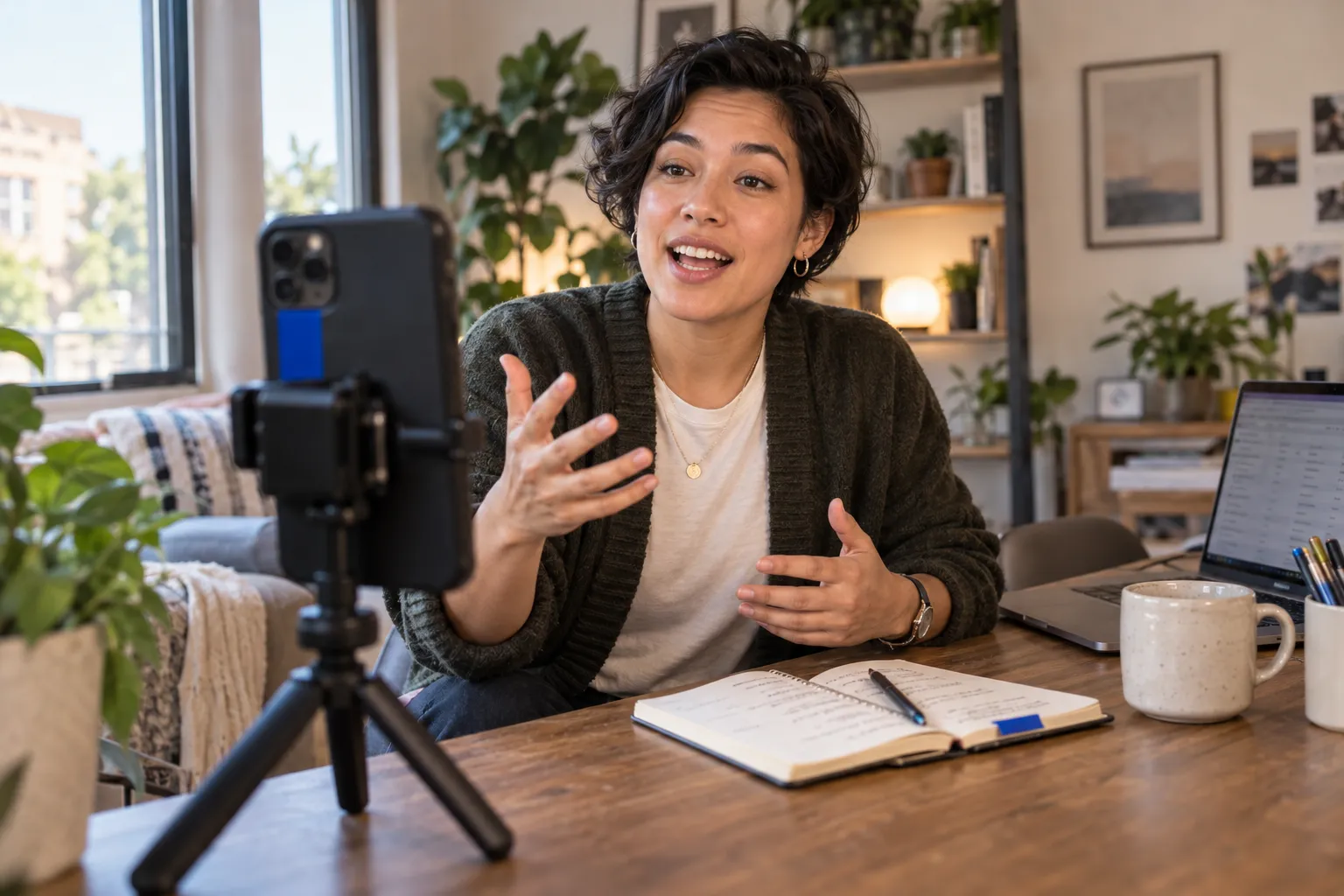
A live storefront does not guarantee sales. An open affiliate offer can attract creators, but leaves product discovery and outreach largely to chance. Targeted recruitment gives you more control: identify creators whose audience and content fit your products, then make a clear case for collaborating. These signals make creator partnerships worth treating as an ongoing sales channel, not a one-time setup task.
Why shops stall after setup: open-plan commissions vs. targeted affiliate outreach
An open commission offer is easy to publish, but may not reach creators who can present your product credibly. Targeted outreach starts with a specific audience, product use case, and content style. Set commission terms that fit your margins, then give creators a concise brief with product details, approved claims, key links, and disclosure expectations. Leave room for their own voice. Aim for a relevant partnership that helps shoppers understand the product, not a script that makes every video sound alike.
Build a creator recruitment workflow: discovery, briefs, and relationship management at scale
Define the customer and creator profile, find suitable partners, check recent content and audience fit, and send a personalized invitation. Track each contact from first message through sample delivery, content review, publication, and performance follow-up. A shared creator CRM helps your team see who replied, which brief they received, and whether another collaboration makes sense. Review clicks, orders, and content quality together to keep recruitment focused on useful partnerships rather than outreach volume alone.
How Reacher automates AI creator discovery and outreach to scale TikTok Shop revenue
Reacher helps brands organize creator discovery and outreach so teams spend less time searching manually and more time improving campaign fit. Use AI-assisted discovery to build a relevant prospect list, then coordinate personalized outreach, briefs, and relationship records in one workflow. Treat automation as support for thoughtful decisions: review creator fit, approve messaging, and monitor results before expanding a campaign. This gives your team a clearer path from shop launch to repeatable affiliate activity.
TikTok Shop Setup FAQ and Pre-Launch Checklist
Before your first order, confirm that the people, policies, and processes behind your shop are ready. TikTok’s requirements and program terms can change, so check current details in Seller Center or the creator application rather than relying on an older checklist alone.
Do I need a business license or EIN to sell on TikTok Shop?
Requirements depend on your business type and the information requested during registration. The research brief indicates that sellers with an EIN can register without followers, but that does not mean every applicant needs an EIN or that an EIN replaces other verification records. Follow the document list for your selected structure, and make sure names and addresses match across your application and supporting files.
How many followers do I need to open a TikTok Shop?
Follower eligibility depends on whether you apply as a seller or creator. The research brief reports that sellers with an EIN can register with zero followers. Check current requirements for your market before applying.
Can I be both a seller and a creator?
Yes. Sellers manage their own products and storefront, while creators promote eligible products for commission. To do both, complete the application process for each role and follow the terms attached to each activity. Keep shop operations and creator content organized so you can track orders, affiliate activity, and payouts separately.
Pre-Launch Checklist: 10 Things to Verify Before Your First Sale
- Seller or creator account status shows approval.
- Business and identity details match submitted documents.
- Payout information is complete and accurate.
- Shipping regions and handling expectations are set.
- Return and customer-service processes are ready.
- Product listings use accurate titles, images, prices, and inventory.
- Product claims and category selection follow current policies.
- Shop and connected profile details identify your brand clearly.
- Creator commissions, briefs, and disclosure instructions are clear.
- Someone on your team will monitor orders, messages, and policy notices.
Frequently Asked Questions
Do you need 1,000 followers to open a TikTok Shop?
Sellers with an EIN can register through TikTok Shop Seller Center without any follower count. If you want to promote other shops' products as a creator for commission, you must be at least 18 and have 1,000 or more followers.
How much does it cost to set up a TikTok Shop?
Setting up a TikTok Shop is free, but TikTok charges commission on sales. Review the fees shown for your specific products before setting prices.
How do I activate my TikTok Shop?
To activate a TikTok Shop, register through Seller Center, select your country and business type, submit verification documents like an EIN or SSN, then configure shipping and payout details. Once verification clears and product listings are published, your shop goes live. Setup typically takes one to three days.
Do you need an LLC to start a TikTok Shop?
No, an LLC is not required to start a TikTok Shop. TikTok lets individuals and sole proprietors register alongside corporations and organizations. Your business type choice determines which identity documents TikTok requests, so pick the category that matches your actual legal structure.
Can I sell on TikTok Shop without a business?
Yes, you can sell on TikTok Shop without a registered business by registering as an individual or sole proprietor in Seller Center. You will still need to provide taxpayer details and a government ID for verification. Sellers with an EIN can register without meeting follower requirements.
What is the difference between a seller account and a creator account on TikTok Shop?
A seller account is the merchant identity managed through Seller Center, where you control inventory, pricing, fulfillment, and payouts. A creator account is a TikTok profile used to publish shoppable content and earn commission promoting other shops' products. If you plan to do both, complete each registration path separately.
What do I need to prepare before setting up a TikTok Shop?
Before applying, prepare your legal details, verification documents like an EIN or business license, a shipping and fulfillment plan, product information, and a verified payout account. Ensure names and addresses match across your application and documents. Missing or mismatched information is the most common cause of setup delays.