

Reacher Stephen
How to Open a TikTok Shop in 2026: Step-by-Step Seller Setup Guide
Learn how to open a TikTok Shop using Seller Center. Follow this step-by-step walkthrough covering verification, product listing, fees, and creator sales.

open a tiktok shop
If you want to open a tiktok shop in 2026, prepare your legal details, payout account, shipping plan, and product data before entering Seller Center. Most delays come from mismatched business information, incomplete identity documents, or listings that do not meet category rules.
Key Takeaways
- Aligning your business registration, tax identification, and banking details before you touch Seller Center prevents the verification rejections that stall most new sellers.
- A clear fulfillment plan, whether you handle shipping yourself or rely on TikTok's logistics partners, needs to be locked in before your first product goes live.
- Category rules in 2026 are stricter than ever, so reviewing the requirements for your specific product type upfront saves you from approval delays and forced delistings.
- Treating Seller Center as the final step rather than the starting point is what separates sellers who launch in days from those stuck in setup for weeks.
The FastMoss TikTok Data Analytics Platform can help you review product activity, seller performance, creator content, and category movement before committing inventory. Use that research to select products with room for fulfillment costs, referral fees, returns, and creator commissions.
Unlock Your TikTok Shop: The Essential Seller Setup Blueprint
Why TikTok Shop is Your Next Growth Frontier
TikTok Shop combines product discovery, short-form video, livestream selling, checkout, and affiliate promotion in one customer journey. TikTok reported more than $65 billion in global TikTok Shop sales during 2025. The platform suits products that demonstrate well on camera, solve a clear problem, or benefit from creator recommendations. TikTok also reports that 73% of users feel more connected to brands on the platform, showing why product education and entertainment can work together.
Understanding TikTok Shop Account Types: Seller vs. Creator vs. Business
Choose the account matching your role. A seller account manages products, orders, pricing, fulfillment, customer service, and payouts. A creator account promotes other merchants through affiliate content and earns commission on qualifying sales. A business account represents the legal entity or brand behind commercial activity; it does not replace seller registration. Confusing creator access with merchant access is common among founders who want to sell their own products and promote partner products.
| Account type | Primary function | Typical requirements |
|---|---|---|
| Seller | Lists products and fulfills customer orders | Identity or business verification, tax details, bank account, shipping setup |
| Creator | Promotes products through videos and livestreams | At least 1,000 followers and age 18 or older for the TikTok Shop Creator program |
| Business | Represents the company behind commercial activity | Legal entity name, registered address, responsible person, and tax records |
Who Can Open a TikTok Shop? Eligibility and Requirements
Eligibility depends on market, account status, product category, and verification information. Individual sellers generally need government-issued identification, a valid address, tax details, and a bank account in the approved seller’s name. Business applicants need entity registration information and documents connecting the business to its authorized representative. You also need permitted products, dependable inventory or supplier arrangements, and the ability to dispatch within the required handling window.
Dropshipping does not remove operational risk. You remain responsible for product quality, delivery estimates, tracking, returns, customer messages, and policy compliance. Poor reviews or late shipments can affect account standing and product visibility. Confirm supplier stock, packaging, delivery times, and return procedures before publishing a listing.
The Critical Documents You'll Need for Verification
Prepare clear, current files before registration. Typical requirements include a driver’s license or passport, business formation records, tax documentation, proof of address, bank account details, and authorization evidence for the submitting person. TikTok Shop Seller Center checks whether names, addresses, entity types, and dates agree across records.
Compare the legal business name character by character, including punctuation and suffixes such as LLC or Inc. Use the same address format across tax records, registration documents, and the application. Upload readable files with all corners visible; avoid incomplete screenshots. Respond promptly to requests for additional evidence and keep a secure folder containing submitted documents and expiration dates.
For product research, the FastMoss TikTok Data Analytics Platform helps compare category demand, creator activity, competing offers, and content performance. Use those findings to narrow your initial catalog instead of launching with untested inventory.
Navigating the TikTok Shop Seller Center: Step-by-Step Registration
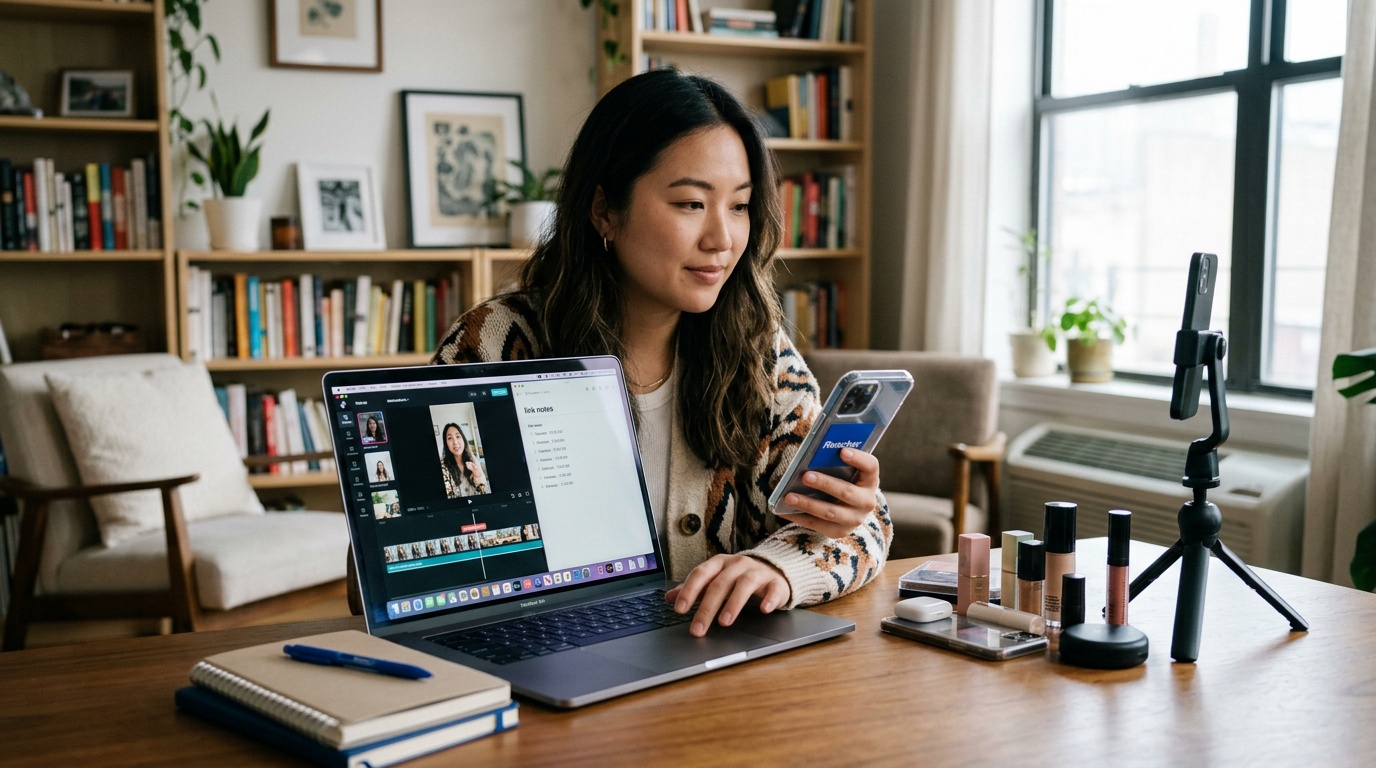
Initiating Your Seller Account Creation
Start with the official TikTok Shop Seller Center registration flow. Sign in with an existing TikTok account or create a dedicated business login that your operations team can access securely. Select your selling country, choose individual or business registration, and confirm the age requirement. Treat the first form as a legal submission because it affects verification, tax reporting, payouts, and customer-facing seller details.
-
Step 1: Set Up Your Business Information
Enter the exact legal name, registered address, contact details, entity type, tax identification information, and authorized representative data shown on official records. Use a monitored email address and phone number for verification prompts and notices. Individual applicants should use that pathway and submit personal information consistently. Do not use a brand nickname in a legal-name field.
-
Step 2: Verify Your Identity and Business Details
Upload requested documents in the file format and image quality specified by Seller Center. A common roadblock is a mismatch between tax records, business registration, bank ownership, and the application. Correct the source document or application before resubmitting. Do not create multiple accounts to bypass rejection. If TikTok requests clarification, answer the question and attach relevant evidence.
-
Step 3: Link Your Bank Account for Payouts
Connect a bank account whose ownership details match the approved seller profile. Check the routing number, account number, beneficiary name, and account type. An unrelated payout account can delay withdrawals and create compliance concerns. Keep transaction records, payout statements, refunds, and chargeback documentation organized from the first order.
-
Step 4: Configure Shipping and Fulfillment Settings
Choose your fulfillment method, warehouse location, handling time, carrier options, shipping charges, return address, and customer service process. Set delivery promises only after confirming supplier and carrier capacity. If a third-party warehouse handles orders, define who prints labels, updates tracking, processes returns, and investigates lost packages. Settings must reflect what your operation can deliver consistently.
-
Step 5: Upload Your First Products
Build each listing around accurate title, category, variations, price, inventory, dimensions, weight, materials, usage instructions, and compliant images. Avoid unsupported medical, financial, or performance claims. Calculate delivered cost before setting price. Products priced at $40 or more may leave more room for shipping, samples, discounts, referral fees, and creator commissions, but price alone does not guarantee profitability.
Prelaunch Checklist
- Legal name and address match every submitted record.
- Identity files are current, readable, and complete.
- Bank ownership matches the approved seller profile.
- Inventory counts reflect units available for sale.
- Shipping times include handling and carrier transit.
- Return instructions and customer support ownership are documented.
- Product claims, images, category selection, and variations follow TikTok Shop policy.
- Unit economics include product cost, packaging, shipping, referral fees, discounts, samples, refunds, and affiliate commission.
After approval, place a test order if the workflow permits. Confirm payment, inventory deduction, label creation, tracking updates, customer notifications, and payout records. This catches configuration problems before paid traffic or creator content produces larger order volume.
The TikTok Shop Seller Center is the operating hub for registration, catalog management, orders, shipping, customer service, and payouts. The TikTok Shop app may help monitor activity from a mobile device, but mobile access does not replace accurate verification files or a documented fulfillment process. Buyers access TikTok Shop through shopping areas, product links, videos, and livestreams inside the TikTok app, while sellers manage the commercial account through Seller Center.
Beyond Setup: Mastering TikTok Shop Operations & Profitability
To open a tiktok shop successfully, you need approved listings and an active payout account plus profitable operations. Profit depends on what remains after referral fees, product cost, packaging, shipping, discounts, samples, returns, refunds, and creator commissions. Treat each order as a transaction to measure. The FastMoss TikTok Data Analytics Platform can support product and category research by helping compare seller activity, product movement, content performance, and competitive pricing.
Understanding the Fee Structure: From Intro Rates to Standard Take
TikTok Shop charges a 1.8% commission fee during a seller’s first 90 days, then moves to a standard 6% referral fee on most categories, according to TikTok Shop seller information. Confirm the current rate for your category, promotion, and account because fee schedules can change. Shipping labels, payment adjustments, seller-funded discounts, affiliate commissions, storage, and returns also reduce proceeds.
| Cost area | What to verify | Margin action |
|---|---|---|
| Referral fee | Introductory or standard category rate | Record the percentage against the item price |
| Fulfillment | Postage, packaging, warehouse handling, and delivery adjustments | Use actual package weight and dimensions |
| Promotion | Coupons, flash discounts, and seller-funded offers | Set a minimum profitable selling price |
| Creator sales | Affiliate commission and sample product expense | Approve commission levels by contribution margin |
| Returns | Refund exposure, restocking, and unsellable units | Reserve cash for product-specific return rates |
Calculating Your True Margins: Beyond the Sticker Price
Calculate each product as selling price minus product cost, referral fee, fulfillment expense, discount, creator commission, sample allocation, and expected refund cost. The remainder is contribution profit before overhead, advertising, software, labor, and taxes. A $40 item may provide more room for deductions than a low-priced item, so experienced sellers often test products at $40 or above when category demand supports that price.
Use one spreadsheet row per SKU with columns for list price, actual selling price, landed product cost, packaging, shipping, platform fees, affiliate payout, refunds, and net profit. Run full-price, discounted-sale, and returned-order cases. If the discounted case produces little cash or the returned case creates a loss, revise price, bundle size, supplier terms, or commission before adding inventory.
The 6-Month Reality Check: Pacing for $1k to $10k Monthly Revenue
Revenue targets should follow operational capacity. A practical six-month plan starts with a small catalog, verified supplier performance, and a repeatable content process. Track weekly orders, conversion rate, average order value, gross sales, cancellation rate, dispatch performance, refund rate, and contribution profit. Moving from $1,000 to $10,000 in monthly revenue requires sufficient stock, customer support, reliable shipping, and cash to fund replenishment before payouts arrive.
Review each month before increasing spend. Keep products that convert with acceptable refund and review patterns. Pause listings that generate complaints, late deliveries, policy warnings, or negative contribution profit. The FastMoss TikTok Data Analytics Platform can help compare category movement and competitor activity when deciding which SKUs deserve additional inventory and content investment.
Ensuring Smooth Payouts: Avoiding Frozen Funds and Automated Refunds
TikTok may hold funds while systems review identity, order quality, delivery performance, refunds, unusual sales activity, or policy compliance. Reduce avoidable triggers by keeping inventory accurate, dispatching within the stated handling time, uploading valid tracking, answering buyer messages, and documenting supplier and return activity. Review negative buyer reviews for fulfillment or product-quality patterns.
Maintain a daily log of order status, tracking events, customer conversations, refunds, disputes, and policy notices. Reconcile completed orders with expected payouts and preserve invoices, carrier receipts, certifications, and supplier records. If funds are held, use the official Seller Center appeal or support process with a concise timeline and matching evidence. Do not create duplicate profiles or alter order records during review.
The Creator Recruitment Playbook: Securing Your First Sales & Beyond
Creator recruitment is a sales process, not a mass-invite exercise. Your offer must show product fit, earnings, useful content assets, and dependable fulfillment. Start with creators whose audiences discuss the problem your product solves. Review recent videos, comments, average views, posting consistency, and whether followers act on recommendations. A smaller creator with trusted audience relationships can outperform a large account with weak commercial fit.
Why Top Creators Ignore Standard Seller Center Collab Invites
Standard invitations often feel automated and omit the product angle, commission terms, sample availability, content expectations, usage rights, and payment timing. Creators also protect audiences from poorly reviewed products or unreliable shipping. Prepare a concise brief covering the customer problem, proof points, price, content format, shipping timeline, and contact channel before outreach.
Crafting Irresistible Outreach: The 50% Intro Commission Strategy
A 50% introductory commission can attract attention when margins support it. Set a time limit, define eligible products, confirm whether the percentage applies before or after discounts, and model shipping, refunds, samples, and referral fees. A strong message might say: “We selected your content because your audience actively discusses this use case. We can send a sample, offer 50% commission on approved introductory sales, and provide product talking points without scripting your voice.” Personalize the first sentence and include one next step.
AI-Powered Creator Discovery: Finding Your Perfect Brand Advocates
Use the FastMoss TikTok Data Analytics Platform to compare creator activity, product categories, content patterns, estimated sales signals, and audience alignment. Filter for creators featuring adjacent products, maintaining consistent engagement, and producing demonstrations suited to your item. Check comment relevance, posting history, brand saturation, and signs of genuine product use rather than relying on follower count. The FastMoss TikTok Data Analytics Platform helps create a ranked prospect list.
Streamlining Creator Management for Scalable Campaigns
Manage recruitment through a pipeline: identified, contacted, replied, sample sent, content received, approved, live, and producing sales. Record commission terms, tracking codes, deadlines, permissions, units shipped, orders, refunds, and net contribution. Increase access for partners producing profitable orders and useful customer feedback.
Creator Partnership Tradeoffs
Pros
- Trusted demonstrations can shorten buyer consideration.
- Affiliate payouts tie creator cost to sales activity.
- Several niche partners reduce dependence on one account.
Cons
- Samples and commissions can erase profit on low-priced products.
- Creator content may require review for policy compliance.
- Unreliable partners can delay launches and waste inventory.
“The best creator relationships feel like operating partnerships. Clear terms, fast answers, and reliable dispatch matter as much as the commission rate.”
Frequently Asked Questions
Do you need 1,000 followers to open a TikTok Shop?
Opening a TikTok Shop as a seller does not require 1,000 followers, based on the seller requirements described here. The 1,000-follower threshold applies to the TikTok Shop Creator program, where creators promote other sellers’ products. Sellers still need identity or business verification, tax details, bank information, shipping settings, and compliant listings.
How much does it cost to open a TikTok Shop?
Opening a TikTok Shop requires planning for selling fees and operating costs rather than relying on a single setup price. Budget for referral fees, fulfillment, shipping, returns, inventory, and possible creator commissions before listing products. Check Seller Center for current fees in your market, since rates and requirements can vary by category and location.
Can anybody open a TikTok Shop?
Opening a TikTok Shop is limited to eligible sellers in supported markets who pass identity or business verification. Applicants need permitted products, accurate tax and payout details, dependable fulfillment, and the ability to meet handling and customer service standards. Market rules, account status, product categories, and document consistency can affect approval.
Do I need an LLC to open a TikTok Shop?
Opening a TikTok Shop does not require an LLC if your market allows individual seller registration. Individual applicants typically submit government identification, address information, tax details, and a bank account in the approved seller’s name. Business applicants must provide entity records and information linking the company to its authorized representative.
Can I sell on TikTok Shop without a business?
Selling on TikTok Shop without a registered business may be possible through an individual seller account in an eligible market. Individual sellers still need valid identification, tax information, address details, a matching bank account, permitted products, and a workable shipping and returns process. Seller Center determines the available registration path.
What documents do I need to open a TikTok Shop?
Opening a TikTok Shop typically requires government identification, tax documentation, proof of address, bank details, and business formation records when applying as a company. Names, addresses, entity types, and dates should match across every file. Clear, complete uploads with all corners visible can reduce verification delays and follow-up requests.