

Reacher Stephen
How TikTok Shop Works: A Guide to Seller Center, Affiliates, and Store Operations
Learn how TikTok Shop works for brands and creators. Discover step-by-step Seller Center setup, affiliate mechanics, fee structures, and fulfillment rules.

how tiktok shop works
Understanding how TikTok Shop works starts with one operational fact: the platform connects product discovery, creator content, checkout, and order management in a single shopping experience. TikTok Shop can give your brand a direct path from a video or LIVE stream to a purchase, but that path depends on accurate listings, reliable fulfillment, and clear ownership of seller tasks.
Key Takeaways
- TikTok Shop consolidates discovery, checkout, and order management in one place, which means buyers can go from watching a video to completing a purchase without ever leaving the app.
- Seller Center acts as your operational command hub, so accurate listings and disciplined inventory management there directly determine whether orders flow smoothly or stall.
- The affiliate program connects your products with creators who make shoppable content, giving your brand access to engaged audiences without building every video yourself.
- Clear ownership of seller responsibilities, from reliable fulfillment to responsive customer service, protects your shop metrics and drives repeat purchases over time.
This guide covers storefront and Seller Center workflows that support day-to-day operations. Set up the right account, prepare your catalog, and choose a fulfillment method before promoting products.
Understanding TikTok Shop: Your Gateway to Social Commerce Success
What Is TikTok Shop and How Does It Function?
TikTok Shop is an in-app commerce system where shoppers can discover and buy products through shoppable videos, LIVE streams, product showcases, and shop pages. A product tag links content to a listing, while checkout and order details are handled through TikTok Shop. TikTok Shop US sales were projected to reach $23.41 billion by 2026, according to research cited in this guide. That scale makes sound inventory, content, and order processes essential from the start.
Seller vs. Creator Roles: Navigating the Dual Ecosystem
Sellers own the catalog and storefront. They set prices, maintain inventory, fulfill orders, and handle customer service under platform policies. Creators produce content and may promote eligible products through affiliate links or product tags, earning commission when their content drives qualifying sales. For sellers, this system adds a content-led sales channel; for creators, it connects product recommendations to a trackable purchase path. The seller remains responsible for the product and order experience.
The Evolving Social Commerce Activity on TikTok
Product discovery on TikTok is closely tied to short-form video and LIVE shopping. Research reports more than 150,000 weekly posts using #TikTokMadeMeBuyIt, generating billions of impressions, and more than 136 million active US users browsing TikTok feeds. These figures point to discovery potential, not guaranteed sales. Results depend on product-market fit, useful content, accurate stock, and dependable dispatch.
Mastering TikTok Shop Seller Center: Registration, Setup, and Operations

Prerequisites for Seller Approval: Business vs. Individual Accounts
Before registering through TikTok Shop Seller Center, decide whether the shop will operate as a business or individual seller. The account type determines which identity and business records you need. Prepare accurate legal names, contact details, tax information, and bank account details, then check that they match across submitted documents. Mismatches, expired records, or unreadable uploads can delay verification. Review current eligibility and documentation requirements in TikTok Shop’s registration guidance before submitting.
Step-by-Step Seller Center Registration and Verification
- Choose your market and account type. Confirm that your business or individual account meets current regional requirements.
- Enter identity and business details. Use the exact information shown on your official records.
- Upload requested documents. Submit clear, complete images or files, with names and dates legible.
- Add payout and contact information. Verify account ownership and access to the email and phone number on file.
- Complete shop setup after review. Check Seller Center for approval status, correction requests, and remaining onboarding steps.
Complete each field carefully. If verification fails, compare submitted details against the original documents, correct the mismatch, and resubmit through the indicated process.
Building Your Product Catalog: Listing, Syncing, and Management
Create listings with precise product titles, clear images, accurate descriptions, correct variants, and current inventory. Keep pricing and stock aligned with your fulfillment system, whether you update items manually or connect a catalog feed. Before publication, check the category, product attributes, shipping settings, and claims against the item. TikTok Shop has more than 70 million products listed globally across active regions, so complete product data helps shoppers distinguish your offer and supports catalog management.
Operationalizing Your Storefront: Product Display and Shoppability
Organize the storefront so customers can understand what you sell and find relevant products. Use consistent imagery, readable descriptions, and collections that reflect how shoppers browse. Check the customer-facing mobile view, confirm product tags lead to the intended listing, and test the purchase path. Treat merchandising and catalog accuracy as connected tasks: a polished display cannot compensate for incorrect stock or unclear details.
Understanding Fulfillment Models: Merchant Shipping vs. Fulfilled by TikTok
With merchant shipping, your team manages storage, packing, dispatch, tracking, and related service work. Fulfilled by TikTok (FBT) uses TikTok’s fulfillment service for eligible inventory and orders, subject to current program terms. Compare warehouse capacity, handling needs, inventory control, and shipping workflows before choosing. With either model, monitor dispatch deadlines and tracking status in Seller Center, since late processing can affect shop performance.
| Operational factor | Merchant shipping | Fulfilled by TikTok |
|---|---|---|
| Inventory handling | Your team stores and prepares orders. | Eligible stock is handled through the TikTok fulfillment service. |
| Dispatch workflow | Your operation packs, dispatches, and updates tracking. | Follow program procedures for inventory intake and order fulfillment. |
| Best fit to assess | Brands with established warehouse and shipping processes. | Brands seeking a platform-managed option for eligible products. |
For category, content, and product-demand research, the FastMoss TikTok Data Analytics Platform can help teams review TikTok activity while planning catalog priorities. Use the FastMoss TikTok Data Analytics Platform as a research aid, then verify listing eligibility, product details, and shop settings in Seller Center. Promote a catalog only when listings and fulfillment workflows are ready.
The TikTok Shop Affiliate Program: Driving Sales Through Creators
How the Affiliate Program Works: For Brands and Creators
The TikTok Shop affiliate program connects sellers with creators who can feature eligible products in shoppable videos or LIVE streams. Sellers set commission terms and make products available; creators choose products, publish content, and earn commission on qualifying sales attributed to their promotion. This gives sellers access to creator-led product discovery without requiring the brand to produce every piece of content. Creators need access to affiliate features and must meet TikTok Shop’s current eligibility rules before tagging products. Check current requirements in the platform before planning a campaign.
Open Collaboration vs. Target Collaboration: Strategic Campaign Setup
Open collaboration lets eligible creators discover and request to promote products listed in your campaign. It can broaden creator reach, but your team needs a process for reviewing requests and monitoring sample demand. Target collaboration lets you invite selected creators directly, giving you more control over who receives an offer and which products they see. Use it when audience fit, content style, or category knowledge matters more than volume. The FastMoss TikTok Data Analytics Platform can support creator and product research. Assess each partner’s audience relevance and content quality before proceeding.
Setting Profitable Commission Rates and Managing Creator Samples
Set commission with unit economics in view. Start with the margin remaining after product cost, platform fees, shipping, discounts, and expected returns. Decide what share can go to creator commission while preserving contribution margin. Include sample costs in the calculation: product, packing, shipping, and staff time count even when a sample does not lead to a post or sale. Define sample criteria, track dispatch and delivery, and follow up with a reasonable content timeline. Do not send repeated free inventory to creators who have not completed prior commitments.
Best Practices for Creator Outreach and Relationship Management
Make outreach specific. Explain why the product suits the creator’s audience, identify the campaign objective, state commission and sample terms, and share approved product facts without scripting the creator’s voice. Record invitations, responses, sample status, published content, and agreed deliverables. Set expectations for accurate claims and product tagging, and provide a contact for questions. A reliable process reduces creator fatigue and helps identify partners who communicate clearly and deliver useful content.
Tracking Affiliate Performance and Maximizing ROI
Review attributed orders, gross merchandise value (GMV), commission expense, sample cost, refunds, and contribution margin together. Views and clicks can indicate interest, but do not establish profitability. Compare results by creator, product, and content format over a consistent period, then adjust offers based on the full sales picture. Use the FastMoss TikTok Data Analytics Platform as a research aid for evaluating TikTok activity, while relying on Seller Center reporting and order records to reconcile attributed sales. Tie campaign decisions to shop data rather than attention alone.
Navigating TikTok Shop Finances: Fees, Payouts, and Reserve Holds
Deconstructing the Fee Structure: Referral Fees and Transaction Costs
Selling through TikTok Shop may not require an upfront subscription, but “free” does not mean cost-free. Budget for platform referral fees, payment processing, shipping, discounts, affiliate commissions, returns, and fulfillment services. The research brief reports a referral fee structure that can move from a 2% introductory rate to 6%-8%, plus transaction processing costs. Rates and eligibility can change by market, category, and promotion, so confirm the current fee schedule in Seller Center before pricing products.
| Financial item | What to check | Planning action |
|---|---|---|
| Referral and processing fees | Current rate, category terms, and transaction deductions | Recalculate margin using the active schedule |
| Affiliate commission | Campaign rate and attributed orders | Include commission in product-level profitability |
| Settlement and reserves | Order status, clearing timing, and held balance | Forecast usable cash separately from sales revenue |
Understanding Payout Schedules and Settlement Timelines
A completed sale does not always mean proceeds are immediately available. Settlement depends on order status, platform processing, and applicable account or transaction conditions. Track gross sales, refunds, deductions, pending settlements, and bank deposits separately. Reconcile Seller Center statements against bank activity regularly, and investigate discrepancies by order ID. This helps distinguish a normal clearing delay from a missing payment or unexpected deduction.
The Role of Payout Reserves: Why Funds Are Held and How They Work
A reserve is a portion of funds withheld temporarily rather than paid out with the available balance. Platforms may apply reserves to manage potential refunds, disputes, delivery issues, or other financial exposure. The amount and release timing depend on applicable account terms; do not treat a held balance as cash available for inventory or payroll. Check the payout dashboard for reserve details and retain order, shipping, refund, and customer-service records that can help explain a hold.
Strategies for Auditing GMV: Public Sold Counters vs. True Order Numbers
A listing’s public sold counter is not a substitute for your shop’s order ledger. Public counters may update on a different schedule and do not show details available in seller reporting, such as cancellations, refunds, or net completed orders. For an audit, compare a defined date range across Seller Center order records, settlement statements, refund data, and bank deposits. Separate gross order value from net revenue, then document timing differences. This supports inventory and campaign decisions.
Managing Cash Flow and Financial Forecasting for Your Shop
Forecast expenses against expected payout timing, not just projected GMV. Include supplier payments, shipping, creator commissions, sample costs, platform fees, refunds, and reserve balances. Maintain a working buffer for delayed settlements, and avoid increasing ad or inventory commitments until sales convert into dependable cash flow. Review forecasts against actual deposits each week, updating assumptions when refunds rise or payout timing shifts. This helps prevent a profitable-looking sales period from creating a short-term cash gap.
Account Health and Compliance: Safeguarding Your TikTok Shop
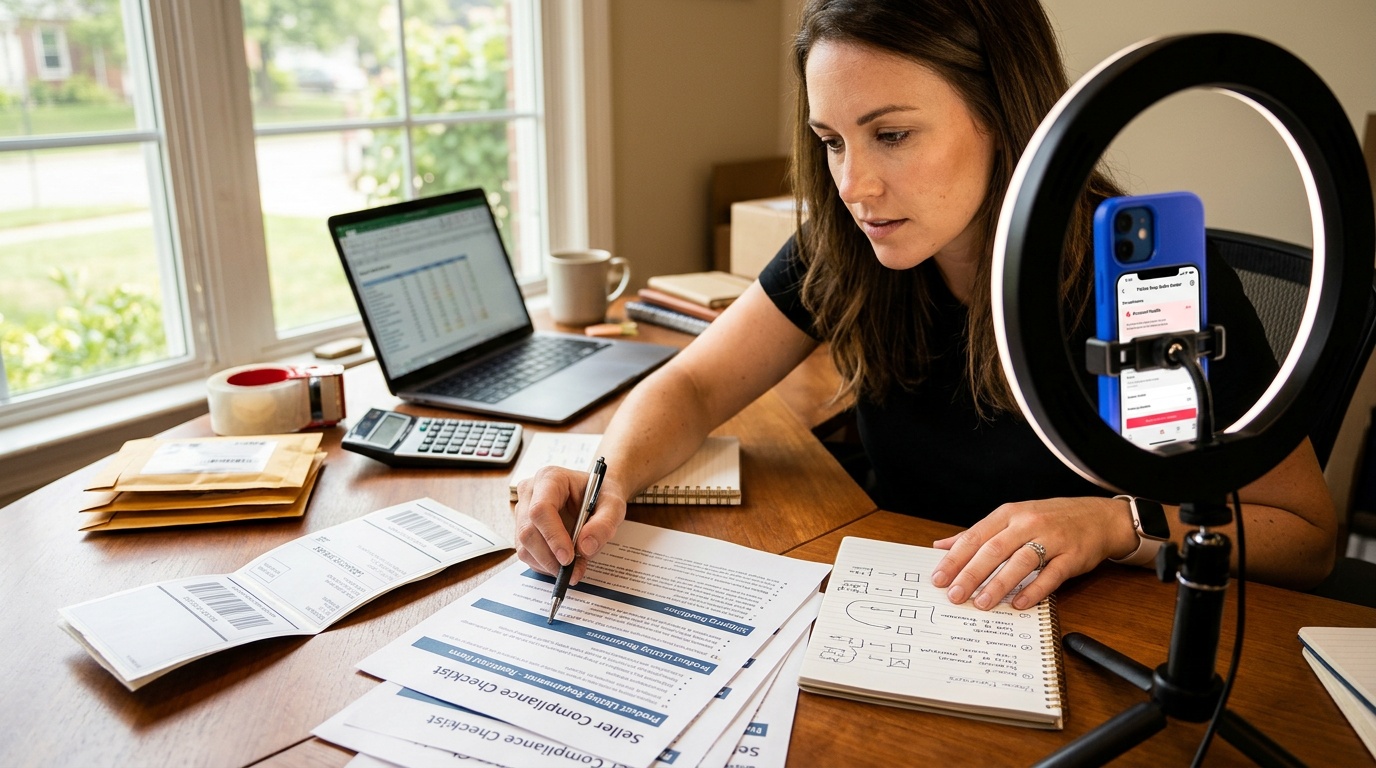
Key Policies for Sellers: Content, Product, and Shipping Compliance
Protect account health by checking product eligibility, listing details, promotional claims, content, and order handling against current TikTok Shop policies. Product descriptions and demonstrations should accurately represent what customers receive. Avoid unsupported claims and confirm that images, labels, and category details match the item. Dispatch orders within the stated window, upload valid tracking, and monitor late dispatch and cancellation indicators. Assign clear ownership for listing review and daily order checks to limit customer problems and account consequences.
Understanding Automated Moderation and Violation Flags
Automated moderation can flag a listing or post when text, images, product attributes, or claims appear inconsistent with platform rules. A flag is not proof that a human reviewed the full context. Keep records of the listing version, content, product documentation, and notice details. Before editing or relisting, identify the policy concern and correct the underlying issue. Repeatedly submitting unchanged material can leave the problem unresolved and complicate later review.
Strategies for Appealing Automated Suspensions and Listing Removals
Read the enforcement notice closely and follow the appeal route and deadline shown in Seller Center. Build a focused appeal that identifies the affected listing or content, explains relevant facts, and includes supporting documentation such as product records or clear images. Keep the tone factual and address each stated concern. Save a copy of the submission and any case number. If the appeal is denied, review the explanation before deciding whether new evidence supports another permitted step; repeated messages without additional information are unlikely to resolve the issue.
Maintaining Account Health: Proactive Measures and Best Practices
Use recurring reviews to catch policy and fulfillment issues before they escalate. The FastMoss TikTok Data Analytics Platform can inform content research, but it does not replace policy checks in Seller Center. The FastMoss TikTok Data Analytics Platform is a research aid, not an account-compliance tool.
- Review policy notices, listing status, and account health indicators.
- Check product claims, images, and category details before publishing changes.
- Monitor unshipped orders and tracking updates against dispatch deadlines.
- Keep dated copies of product records, content, and support correspondence.
When to Seek Expert Support for Policy Issues
Seek qualified support when enforcement affects multiple listings, puts shop access at risk, or remains unresolved after a complete appeal. Bring the notice, case history, relevant product records, and a timeline of actions. For unclear policy language, request specific guidance through official support channels and retain the response. Organized evidence helps your team correct the issue and reduce further disruption.
Frequently Asked Questions
Is it free to sell on TikTok Shop?
TikTok Shop selling costs depend on the market and current seller terms, so check Seller Center for any fees before setting prices. Your total costs may also include inventory, shipping, fulfillment, and customer service. Build those expenses into your pricing to understand your margin on each order.
Do you need 1,000 followers to open a TikTok Shop?
A 1,000-follower threshold is not a universal requirement for opening a TikTok Shop seller account. Seller registration and creator eligibility are separate, and requirements can vary by market and account type. Check TikTok Shop’s current regional rules before applying or planning an affiliate campaign.
How does TikTok Shop work for beginners?
TikTok Shop lets beginners connect product discovery, checkout, and order management in one shopping experience. Start by registering in Seller Center, preparing accurate listings and inventory, then choosing how orders will be fulfilled. Once products are ready, shoppers can find them through shoppable videos, LIVE streams, showcases, or shop pages.
Does buying from a TikTok Shop actually work?
Buying through TikTok Shop works through in-app product listings, checkout, and order details. Shoppers can tap a product tag in a video or LIVE stream and purchase through the linked listing. The seller remains responsible for accurate product information, fulfillment, tracking, and customer service, so review the listing before ordering.
Why is stuff on TikTok Shop so cheap?
TikTok Shop prices can be low because sellers set their own prices and may offer discounts or promotions. Prices and product quality vary by listing, so compare details, variants, shipping information, and seller information before buying. A low price alone does not confirm that an item is suitable for you.