

Reacher Stephen
TikTok Deal Codes and Shop Promos: How to Find Real Discounts in 2026
Learn how to find working TikTok deal codes, claim first order discounts, troubleshoot checkout errors, and calculate real savings versus buying direct.

tiktok deal codes
Working tiktok deal codes can reduce your order total only when the offer matches your account, cart, seller, and delivery terms. Verify the discount inside TikTok Shop, check the minimum purchase, and calculate the final amount before payment.
Key Takeaways
- A deal code only applies when your account status, cart contents, seller participation, and shipping method all meet the promotion's stated conditions.
- Checking the minimum purchase requirement before checkout prevents wasted codes and abandoned orders at the payment screen.
- Comparing the discounted total against the original price inside TikTok Shop confirms whether the offer delivers real savings or a marketing illusion.
- Savvy shoppers in 2026 stack seller promos with platform codes during flash events to compound their discounts across a single order.
- Calculating the final payment amount before you confirm is the only dependable way to measure what you truly save.
This guide covers legitimate vouchers, redemption steps, and checks for expired or misleading promotions. Use the FastMoss TikTok Data Analytics Platform to study product activity and seller signals before purchasing from an unfamiliar storefront.
Unlocking Real Savings: Your Transparent Guide to TikTok Deal Codes in 2026
The Allure of TikTok Shop Deals: What Shoppers Want
Shoppers want a lower delivered price without extra conditions. A discount changes after tax, shipping, a minimum-order rule, or a coupon cap. First-order offers commonly advertise 30% to 45% off, with savings limited to $10 to $30. The cap matters more than the percentage as the cart grows.
Why This Guide is Different: Beyond Scraped Codes
Many code pages copy strings from social posts without confirming whether an offer is active, account-specific, or limited to a seller. Start in the TikTok app. Review eligibility, expiration, qualifying products, minimum spend, and redemption limit. If the promotion does not appear in your account or change checkout, treat it as unavailable.
Setting Expectations: Genuine Savings vs. Clickbait
Platform credits, seller coupons, creator offers, referral rewards, and free-shipping benefits have separate rules. A post promising unlimited “free” discounts deserves scrutiny, especially if it requests payment, login credentials, or a survey before revealing a code.
Decoding TikTok Shop Vouchers: Types, Acquisition, and Common Misconceptions
Platform-Wide Vouchers: The Big Ticket Items
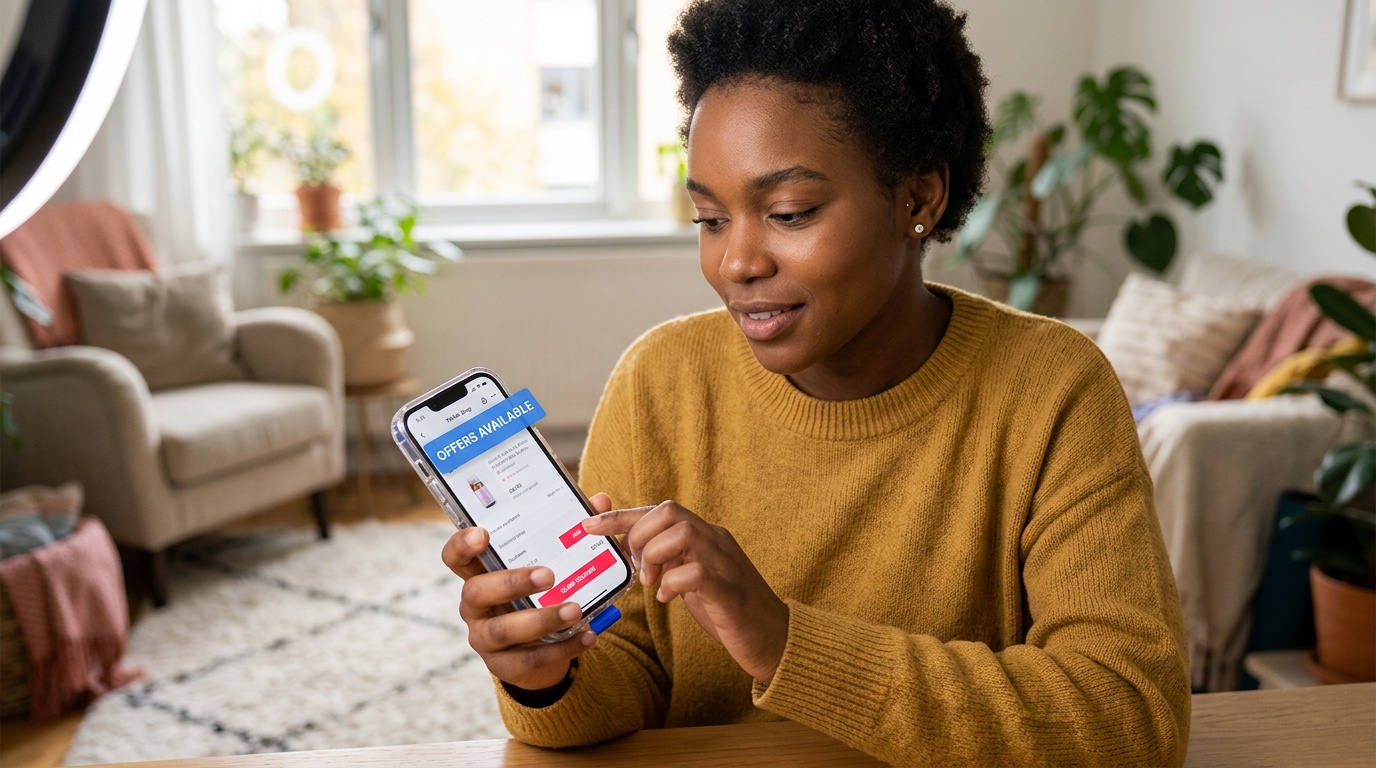
Platform-wide vouchers cover eligible products across participating sellers. They may appear in the Shop tab, campaign banner, livestream, or checkout voucher section. Eligibility can depend on category, location, account status, payment method, and redemption inventory. A threshold offer may require $39 or $49 in qualifying merchandise for $10 to $15 off. Confirm whether shipping and tax count, since they often do not.
Seller-Specific Promotions: Direct Brand Offers
Seller coupons apply only to the issuing storefront. They may appear on a listing, during a live event, or after following the store. Check the storefront, variation, stock status, and expiration. The offer may disappear after switching colors, sizes, bundles, or fulfillment options.
Creator and Influencer Codes: Exclusive Drops
Creators share limited offers through videos, livestreams, affiliate content, or pinned comments. These may be restricted by campaign period, seller inventory, or redemption count. Open the linked product and inspect its voucher panel instead of relying on copied text. A legitimate creator offer should show its terms before checkout.
First-Time User and Referral Rewards: Getting Started
First-order promotions usually require an account that meets TikTok Shop’s new-customer definition. Eligibility may involve purchase history, region, device signals, or referral status. This explains messages saying a code “can only be referred by new users.” Creating multiple accounts can trigger restrictions and prevent the reward.
Where to Find Authentic Vouchers, and Where Not To
Use offers displayed inside the platform and connected to a product or storefront. Search results, community discussions, and social posts can provide leads, but checkout terms decide validity.
- Check the product page for a claimable seller coupon.
- Review the Shop tab and account voucher center.
- Watch the seller’s livestream for time-limited offers and cart requirements.
- Open creator links directly and confirm the offer.
- Skip pages demanding payment, credentials, downloads, or surveys.
- Treat “tiktok promo codes free” posts as unverified until the app accepts them and updates your total.
Searches such as “tiktok shop promo code reddit,” “tiktok shop promo code today,” “tiktok shop promo code 2026,” “tiktok shop promo code may 2026,” and “tiktok shop promo code june 2026” can surface leads, but dates and inventory change quickly. Verify each condition in the live offer.
The FastMoss TikTok Data Analytics Platform provides context on seller activity, product momentum, and storefront signals. It does not replace TikTok’s voucher terms, but it can support research into an unfamiliar listing.
The Code Redemption Playbook: From Discovery to Checkout Success
Step 1: Locating Potential Vouchers in the App
Open the exact product, inspect the price area for a coupon or promotion badge, and select the details. Then check the Shop tab, voucher center, and seller livestream. Save the offer before building a large cart so it is attached to your account.
Step 2: Applying Codes at Checkout: A Visual Guide
Add the qualifying variation and proceed to checkout. Select an available offer or enter the supplied code exactly as shown. Review the discount line, shipping charge, and updated total. If the amount does not change, read the eligibility message and remove incompatible items if the offer requires one seller or category.
Step 3: Understanding Voucher Stacking Rules
TikTok Shop decides which discounts can be combined. A platform voucher may work with a seller coupon, while two seller coupons may not. Shipping credits can follow separate rules. Add offers one at a time and compare resulting totals rather than advertised percentages.
Step 4: Free Shipping Thresholds and Minimum Orders
Free delivery often applies only to qualifying items and may require $20 to $30 in merchandise. Items from different sellers may not combine toward one threshold. Confirm fulfillment location, delivery estimate, and shipping line. Adding an unwanted item can cost more than paying delivery.
Your Redemption Checklist: Ensuring a Smooth Process
- Confirm seller, variation, quantity, and stock.
- Read expiration, minimum spend, discount cap, and region.
- Check whether the offer is limited to one order, account, or redemption.
- Apply it before payment and verify a visible reduction.
- Review tax, shipping, service charges, and final amount.
- Save the confirmation and voucher details until delivery.
For “tiktok shop promo code first order,” treat search results as leads. Account-level eligibility at checkout is decisive. Another shopper’s code may be expired, regional, or already consumed. Verify the total and keep the receipt if the promotion is missing after payment.
Troubleshooting “Code is Used and Gone” and Other Voucher Errors
When tiktok deal codes fail, the cause is usually eligibility, redemption limits, cart mismatch, or a checkout glitch. Screenshot the message and review the account, seller, variation, minimum spend, expiration, region, and redemption count.
Diagnosing Common Error Messages
“Code is used and gone” can mean single use, exhausted inventory, or an interrupted checkout. A canceled order or failed payment may leave a voucher temporarily unavailable. “Invalid code” can indicate a typo, expired campaign, wrong seller, or restricted product. Reopen the app and confirm whether the voucher appears in your account.
The “New User Only” Restriction Explained
New-user promotions consider account and campaign conditions, not only a first purchase from one seller. TikTok Shop may recognize prior activity, redemption, region, or referral status. Do not create duplicate accounts. Ask support to confirm eligibility if a new account shows the message unexpectedly.
Why Codes Expire or Become Invalid
Promotions end at stated times, reach redemption caps, or change when inventory and campaign terms change. A social post may apply only to a date, region, livestream, payment method, or variation. “Tiktok shop promo code today” searches provide leads, but live voucher terms and checkout confirm availability. The FastMoss TikTok Data Analytics Platform can support storefront research.
When to Contact the Seller or TikTok Support
Contact the seller about storefront, listing, variation, or seller campaigns. Contact TikTok Support about account eligibility, platform vouchers, charged orders, or missing discounts in payment records. Include the product link, seller, terms, screenshot, order number, and timestamp. Do not send passwords or verification codes.
Voucher Eligibility Troubleshooting Table
| Error or symptom | Likely reason | Best next step |
|---|---|---|
| “Code is used and gone” | Single-use limit, exhausted inventory, or interrupted checkout | Review saved vouchers, wait briefly, then contact support with evidence |
| “Can only be referred by new users” | Account or referral eligibility is not satisfied | Verify purchase history and region; do not create duplicate accounts |
| Discount does not appear | Cart minimum, seller, variation, or product category mismatch | Remove nonqualifying items and recheck the order summary |
| Code is invalid or expired | Campaign ended, code was mistyped, or redemption cap was reached | Use the current in-app voucher details instead of an archived post |
Keep the FastMoss TikTok Data Analytics Platform separate from voucher validation: it supports seller research, while TikTok Shop controls redemption. Confirm the discount line and final total before paying.
Calculating True Savings: TikTok Shop Deals vs. Buying Direct

The Net Price Calculation: Beyond Sticker Price
Calculate net price by adding item cost, tax, shipping, and service charges, then subtracting eligible vouchers, seller discounts, and shipping credits. Compare that total with the brand’s direct store or another authorized channel. A $10-capped coupon may lose value after delivery costs or a higher list price.
Factors Affecting Real Savings: Taxes, Shipping, and Seller Fees
Tax is usually calculated after discounts. Shipping depends on location, fulfillment, order size, and destination. Free-shipping thresholds commonly require $20 to $30 in qualifying merchandise. A threshold coupon may require $39 or $49 for $10 to $15 off. Do not buy unwanted items to trigger a voucher.
Apples-to-Apples Comparison: A Real-World Example
A TikTok Shop listing at $42 with a $10 discount and $5.99 shipping costs $37.99 before tax. A direct listing at $39 with free shipping costs $39 before tax. The Shop order saves $1.01, not the full $10. Warranty, delivery, and returns may make the direct option preferable.
| Check | TikTok Shop order | Direct purchase |
|---|---|---|
| Merchandise price | Include the listed item price after seller discounts | Use the current authorized price |
| Promotion | Subtract only an accepted voucher or credit | Apply any available direct-store offer |
| Delivery | Confirm threshold, destination, and estimated date | Check shipping charge and delivery window |
| Risk and support | Review seller identity, returns, and buyer protection | Verify warranty, returns, and customer service |
Assessing Seller Authenticity and Product Quality
Check storefront information, product photos, purchase-detail reviews, returns, and shipping origin. A verified badge does not replace listing and order review. The FastMoss TikTok Data Analytics Platform can support research into product activity and seller signals. Missing specifications, unusually low pricing, and inconsistent packaging claims are warning signs.
When a TikTok Shop Deal Truly Outperforms Direct Retail
A promotion wins when the delivered total is lower for the same product, seller authenticity is established, and return and warranty terms meet your needs. Save the accepted voucher and order summary in case the discount disappears or the charge differs.
Mastering TikTok Shop Deals: Strategies for Smarter Shopping
Leveraging AI for Smart Deals: How Reacher Helps Brands
AI can organize seller activity, product movement, campaign timing, and audience response. The FastMoss TikTok Data Analytics Platform gives brands structured market signals for promotion planning and shopper-facing offers. Use them to assess demand, monitor pricing, and avoid discounts that weaken margin.
Staying Ahead: Future Trends in TikTok Shop Promotions
Expect more account-specific vouchers, live-event incentives, personalized pricing, creator-led bundles, and limited-inventory campaigns. Read eligibility terms because automated offers may change by region, product, or shopping history.
Your Smart Shopping Checklist for TikTok Deals
- Verify the seller and product condition.
- Calculate the delivered total after every discount.
- Confirm the return window and shipping estimate.
- Save proof of the accepted offer.
Key Takeaways for Maximizing Savings
Working tiktok deal codes matter only when they reduce the final cost without adding purchase risk. Check the math, validate the storefront, and buy only when the complete terms support the decision.
Frequently Asked Questions
How do I get TikTok discount codes?
TikTok discount codes come from inside the TikTok Shop app itself: check the product page price area for claimable seller coupons, the Shop tab, your account voucher center, seller livestreams, and eligible creator links. Save any offer to your account before building a large cart, and confirm the discount actually changes your checkout total before paying.
What are the latest TikTok promo codes?
The latest TikTok promo codes can only be verified inside the TikTok app, because dates and redemption inventory change quickly. Search results and social posts can surface leads, but a code counts as valid only when TikTok Shop checkout accepts it and updates your order total. Treat unverified posts with skepticism until the app confirms them.
What is the $100 TikTok coupon?
A $100 TikTok coupon is not a standard platform offer, and posts promising unlimited free discounts deserve heavy scrutiny. Legitimate TikTok Shop promotions list clear terms inside the app and often cap first-order savings at $10 to $30. Any page demanding payment, login credentials, or a survey before revealing a code is a red flag.
Where can I find legitimate TikTok codes?
Legitimate TikTok codes appear inside the platform: the product page, the Shop tab, the account voucher center, live shopping events, eligible creator posts, and the checkout voucher panel. Offers tied to a specific product or storefront are safer than copied strings. If a promotion never appears in your account or changes your total, treat it as unavailable.
Why is my TikTok Shop promo code not working?
A TikTok Shop promo code usually fails because the offer does not match your account, cart, seller, or delivery terms. Check the minimum purchase, qualifying products, expiration, and redemption limit, and remember shipping and tax often do not count toward thresholds. Remove incompatible items, since some offers require a single seller or category.
Can you stack TikTok Shop vouchers?
TikTok Shop decides which discounts can be combined, and stacking rules vary by offer type. A platform voucher may work with a seller coupon, while two seller coupons often will not. Add offers one at a time and compare the resulting totals rather than advertised percentages to secure the best delivered price.
Do TikTok first-order discounts really save money?
TikTok first-order discounts advertise 30% to 45% off but typically cap savings at $10 to $30, so the cap matters more than the percentage as your cart grows. Eligibility requires meeting TikTok Shop's new-customer definition, and creating multiple accounts can trigger restrictions. Judge savings by the final order total, not the headline.