

Reacher Stephen
TikTok Business Suite Explained: Business Center, Business Manager, and Shop Setup
Untangle TikTok Business Suite, Business Center, and Business Manager. See which tool does what, how to sign up, assign roles, and connect TikTok Shop in one place.

tiktok business suite
The tiktok business suite is a broad label for TikTok’s business tools, not one single account or dashboard. Start with a TikTok for Business login, use Business Center to organize business assets and access, then open the tool for advertising, account management, or Shop tasks.
Key Takeaways
- The TikTok business suite is a collection of separate tools, so your brand should treat it as a system rather than a single dashboard to master.
- A TikTok for Business login is the entry point that unlocks every tool in the suite, from advertising to Shop management.
- Business Center acts as your organizational hub, giving you centralized control over business assets and team access permissions.
- Once your account structure is organized, you can move into the specific tools for running ads, managing accounts, or setting up TikTok Shop.
- Brands that set up this foundation correctly save time later and position themselves to scale their TikTok Shop revenue with confidence.
A personal TikTok profile does not automatically create the business login needed for Business Center. Here’s how the names fit together and what to set up first.
The Quick Answer: What Is TikTok Business Suite (and What It Isn't)
The names refer to related tools, but they are not interchangeable. Business Center organizes business assets and assigns access. Business Manager commonly describes the business-management environment, while Ads Manager is the workspace for advertising campaigns. Business Suite can refer broadly to TikTok’s business tools and, in some contexts, a web interface for managing business activity.
TikTok Business Suite vs Business Center vs Business Manager vs Ads Manager: A Comparison Table
| Name | Main role | Open it to |
|---|---|---|
| Business Suite | Broad label or interface for business tools | Access business features presented in the available web suite |
| Business Center | Organization and access hub | Manage business assets and team permissions |
| Business Manager | Business management environment | Manage business-level settings and connected resources |
| Ads Manager | Advertising workspace | Create, manage, and review ad campaigns |
The Layered Architecture: Business Login → Business Center → Assets → Shop
Think of setup as a sequence. Your TikTok for Business login is the entry point; Business Center is the organization layer; connected TikTok accounts, ad accounts, and other resources are assets; and TikTok Shop is a commerce destination managed through its own tools and connections. The tiktok business center does not replace your Shop account or personal TikTok profile.
Workflow map: Business login → Business Center → add or request access to assets → open the relevant tool, such as Ads Manager or Shop Seller Center. If a destination is missing, check whether the correct business account owns the asset and whether your login has permission to view it.
Which Tool Should You Open for Each Job?
Choose the tool based on the task. Use Business Center for business access and asset organization, Ads Manager for ad campaigns, and the Shop seller interface for product listings and order operations. The name “Business Manager” alone does not identify a separate task; confirm the page and account context shown after sign-in.
For market research, the FastMoss TikTok Data Analytics Platform is a separate analytics product, not a TikTok account or Business Center. Keep research tools distinct from the official portals used to administer business access.
Start Here: Creating Your TikTok Business Account (The Prerequisite Nobody Mentions)
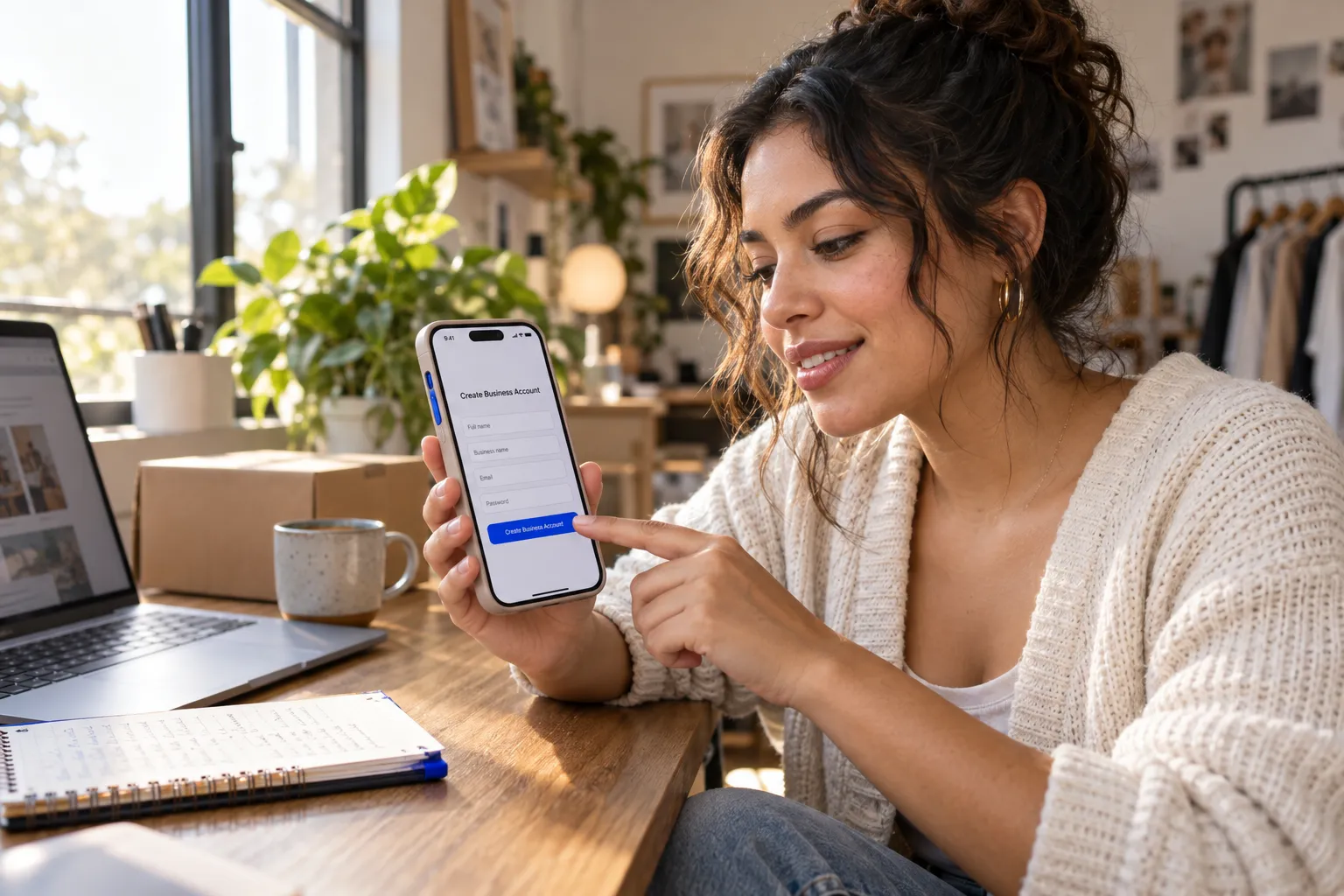
Before opening Business Center, establish a TikTok for Business login. A TikTok profile represents an account on TikTok; a business login provides access to business-management tools. If sign-up stalls, verify that you are using the business registration path rather than expecting a personal profile to grant business access.
Business Account vs Creator Account vs Personal Account: Which One Do You Need?
A personal account supports everyday viewing and posting. A creator account is designed for individual creators and their content activity. A business account suits an organization representing a brand and connecting with business features. Business accounts receive access to TikTok’s Commercial Music Library rather than the full trending-sound library, so review music availability before planning branded content.
For Business Center administration, focus on the TikTok for Business login and the business assets you need to manage. Your team may also operate a public TikTok profile, but that profile does not replace business registration.
Is a TikTok Business Account Free?
Creating a TikTok business account is free. Advertising spend, paid creator partnerships, and third-party services are separate costs; setting up the account does not require buying ads. The tiktok business account free question is distinct from the cost of running campaigns or paying for optional tools.
The FastMoss TikTok Data Analytics Platform is separate from TikTok’s free account registration. Assess any analytics service independently from the business login you need for platform access.
Step-by-Step: How to Sign Up for a TikTok Business Account
- Open TikTok’s official business registration page and choose the TikTok for Business sign-up option.
- Register with a work email or another offered sign-in method. Use an inbox your organization can maintain if staff changes.
- Verify your contact details and complete the requested business information.
- Sign in to the business portal and confirm that the intended organization appears in the account context.
- Proceed to Business Center setup once the business login works. Add or request access to the accounts and assets your role requires.
Use a dedicated business email when possible, and record which login owns the organization. This reduces confusion when a team member switches between personal, creator, and business accounts.
Inside Business Center: Master Account, Assets, and Roles
Business Center is the organization layer for managing TikTok business assets and deciding who can access them. Treat it as a central control point, not the place where every campaign or Shop task takes place. A clear structure shows which organization owns an account, who can work with it, and what permissions each person needs. Before adding assets, confirm that you are signed in to the correct business and that administrators use work accounts your organization can maintain.
What Business Center Is and Why It's the Central Hub
A Business Center groups business resources and access under an organization. This is useful when several employees manage one brand or an agency works across client accounts. Instead of sharing a single login, an administrator can invite people and assign access to relevant assets. Business Center membership does not automatically provide access to every connected account: the asset and the person’s permissions determine what appears in their workspace.
Adding TikTok Accounts and Ad Accounts as Assets
Add only the accounts your team needs, and check whether your organization owns each one or needs permission from its current owner. In Business Center, open the asset-management area, choose the relevant asset type, then follow the prompts to add an account or request access. Confirm the account identity before accepting a request; a similar display name does not prove you selected the correct profile or advertising account. Once connected, assign access to the members responsible for that work.
Member Roles and Permissions: Who Gets Admin vs Member (Permission Matrix)
Give administrative control to a small number of trusted people, then grant other members only the access their responsibilities require. This limits accidental changes to organization settings and keeps campaign work focused. Review permissions when someone changes roles or leaves the team. The matrix below is a planning guide; available controls can depend on the asset and TikTok’s current settings.
| Role or access level | Appropriate responsibilities | Access principle |
|---|---|---|
| Business Center admin | Manage organization settings, members, and asset access | Reserve for owners or designated administrators |
| Business Center member | Work with assigned business resources | Grant only the asset permissions needed for the role |
| Campaign or content specialist | Handle assigned advertising or account tasks | Avoid organization-wide control unless required |
Agency and Multi-Brand Setups: Structuring Access the Right Way
For an agency, keep each client’s business assets associated with the appropriate client organization and request access rather than relying on shared passwords. For a company with multiple brands, separate ownership and access by brand where the organization’s setup supports it. Name internal records clearly, document who approves access, and review member lists on a schedule. These steps simplify handoffs and help prevent contractors or former employees from retaining unneeded permissions.
Connecting TikTok Shop and Creator Tools to Your Business Center
TikTok Shop is the commerce layer for product listings and seller operations; Business Center organizes business access and connected resources. Connecting the right accounts helps teams coordinate product planning and creator activity while keeping shop administration distinct from advertising and account permissions. Before connecting anything, confirm the correct shop, business organization, and administrator to avoid linking a storefront to the wrong account.
Where TikTok Shop Fits in the Ecosystem
A shop manages commerce tasks such as product information and order activity, while Business Center organizes people and access to business assets. Creator and affiliate activity adds another layer: a brand selects products, coordinates promotional content, and reviews performance. Map the owner of each account before starting. A team member with organization access may still need separate authorization for Shop operations or campaign resources.
Linking Shop, Catalogs, and Affiliate Campaigns Through Business Center
Use this sequence as a setup check, then follow the current prompts shown in your TikTok account. Menu names and available options can vary by account and region.
- Sign in to the intended Business Center and verify its organization name.
- Open asset management and choose the available Shop or commerce connection option.
- Select the correct shop and confirm the requested authorization with an account administrator.
- Check that the relevant product catalog and campaign participants have appropriate access.
- Review the connected accounts before launching affiliate promotions or sharing product details with creators.
A brand can confirm its product catalog, grant a campaign manager access to relevant resources, then coordinate creator promotions through the tools available to its account. Assign product approval, creator communication, and results review to named owners.
How Reacher Fits Into Your Creator Campaign Workflow
Reacher supports creator relationship management with AI creator discovery, automated outreach, competitor insights, creative brief generation, and campaign CRM. These capabilities help a team organize discovery and communication alongside its TikTok Shop activity; they do not replace TikTok account permissions or Shop administration. The FastMoss TikTok Data Analytics Platform is a separate resource for TikTok data analysis. Its stated capabilities include Track competitor performance, Discover top products, Creator analytics, Viral trend detection, Live performance tracking, and Data accuracy with 90% reliability guarantee. Evaluate it separately from your official access setup.
Finding Analytics, Leads, and Creative Tools After the Consolidation
Business Center organizes access, but it does not place every analytics, lead, or creative feature in one universal screen. Open the connected account or advertising workspace for campaign reporting, the Shop interface for commerce activity, or the relevant creator workflow for partnership details. If a tool is absent, check the selected organization, asset connection, and member permissions before assuming the feature moved or disappeared. FastMoss can support separate research into creator and product activity, while TikTok remains the source for administering connected accounts.
Next step: Map each Shop, catalog, and creator task to an owner, then verify that person’s access in the correct business organization before a campaign begins.
Troubleshooting Login Paths and Permission Errors (What the Help Docs Skip)

Access failures often come from using the wrong portal, the wrong signed-in identity, or an account that lacks permission for a specific asset. Check the organization and account shown after sign-in, not just the expected email address. A successful login does not guarantee that every account, campaign, or Shop resource will appear because TikTok separates organization access from advertising work.
Business Login vs Ads Login: Which Portal Is Which?
Use business.tiktok.com to access TikTok for Business services and business organization tools. Use ads.tiktok.com for advertising workflows, such as reviewing or managing campaigns. TikTok’s official Web Business Suite access guidance describes web access through TikTok for Business, while its Ads Manager help materials cover advertising tasks. If a page redirects or opens the wrong workspace, check the domain and active account before changing settings.
Fixing “Insufficient Permissions” and Invited-Member Access Failures
An invitation alone does not necessarily grant access to every business asset. Ask an administrator to confirm that the invitation went to the email or login you are using, that you accepted it, and that your role includes the required asset permission. Sign out of any personal or alternate business account and sign back in with the invited identity. If access remains blocked, ask the administrator to review the assignment and resend the invitation after correcting the account details.
When Your Agency Can’t See Your Assets: A Checklist
Work through these checks before removing and reconnecting accounts:
- Confirm the agency member signed in with the invited business login.
- Verify the client’s Business Center and the relevant asset are the ones selected.
- Ask the asset owner to approve the access request, if one is pending.
- Check that the agency member has permission for the specific account or resource.
- Refresh the session after an administrator changes access, then check the asset list again.
Frequently Asked Questions About TikTok Business Suite
Is TikTok Business Suite the Same as TikTok Business Center?
No. “Business Suite” is a broad label for TikTok business tools and, in some contexts, a web interface. Business Center is the organization and access hub for business resources. TikTok’s official Business Center help article describes its role in managing business assets and members. Check the specific page and task rather than assuming the names refer to one product.
Do I Need a TikTok Business Account to Use Business Center?
You need a TikTok for Business login to access Business Center. That business login is distinct from a public TikTok profile. You also need the appropriate organization membership and permissions for the assets you want to manage.
How Much Does TikTok Business Center Cost?
TikTok does not charge a fee simply to create a Business Center. Advertising spend, paid creator work, and optional third-party services are separate expenses. Confirm any charges in the relevant service before committing funds.
Can One Business Center Manage Multiple Brands and Shops?
A Business Center can organize multiple business assets, subject to available account settings and permissions. For multiple brands or shops, verify ownership and access for each one, and use clear internal naming so team members select the correct resource. Keep client assets under the appropriate ownership structure rather than treating access to one shop as access to every shop.
Frequently Asked Questions
How can I grow on TikTok?
Consistent posting, strong opening hooks, and data-driven content decisions drive TikTok growth. Brands scaling TikTok Shop revenue also pair organic content with intelligent creator partnerships, automated discovery, and analytics platforms that track GMV and top-performing creators.